Dashboard
Your dashboard is the first thing you see when you log in. It gives you a real-time snapshot of your studio — key metrics, items that need your attention, and shortcuts to common actions.
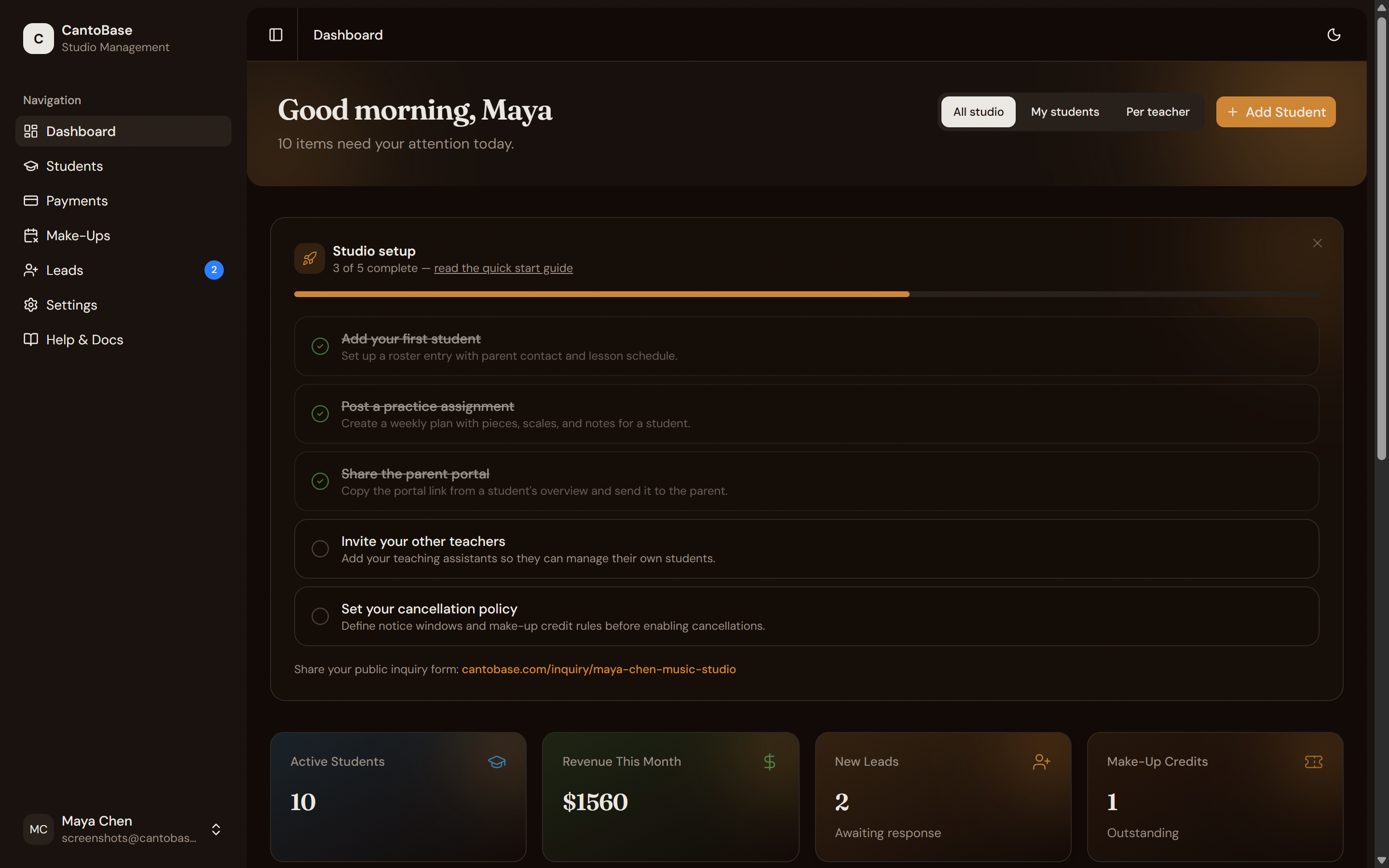
Studio metrics
At the top of the dashboard, a personalized greeting (based on time of day) sits above four stat cards that summarize your studio at a glance:
Active Students
The total number of non-archived students in your roster.
Revenue This Month
Total payments recorded for the current month, across all students and families.
New Leads
Inquiry submissions that haven't been replied to yet. Helps you stay on top of prospective students.
Make-Up Credits
Outstanding make-up credits across all students that haven't been used or expired.
Needs attention
Below the metrics, the Needs Attention section highlights things that require your action. This might include:
- New leads waiting for a response
- Stale leads you haven't followed up on
- Pending payments that are overdue
- Make-up credits about to expire
- Students who haven't practiced this week
Practice this week
The Practice This Week section shows a progress overview of which students have logged practice and how much. Each student appears with a visual progress indicator so you can quickly see who's on track and who might need a nudge.
Quick actions
At the bottom of the dashboard, you'll find shortcut buttons for the things you do most often:
Add Student
Jump straight to the new student form without navigating through the sidebar.
View Leads
Go directly to your lead inbox to review and respond to inquiries.
Copy Inquiry Link
Copy your public inquiry form link to share on social media, your website, or anywhere prospective students might find you.
Make-Up Slots
Open the make-up slot manager to create available times for students who need to reschedule.