Students & Families
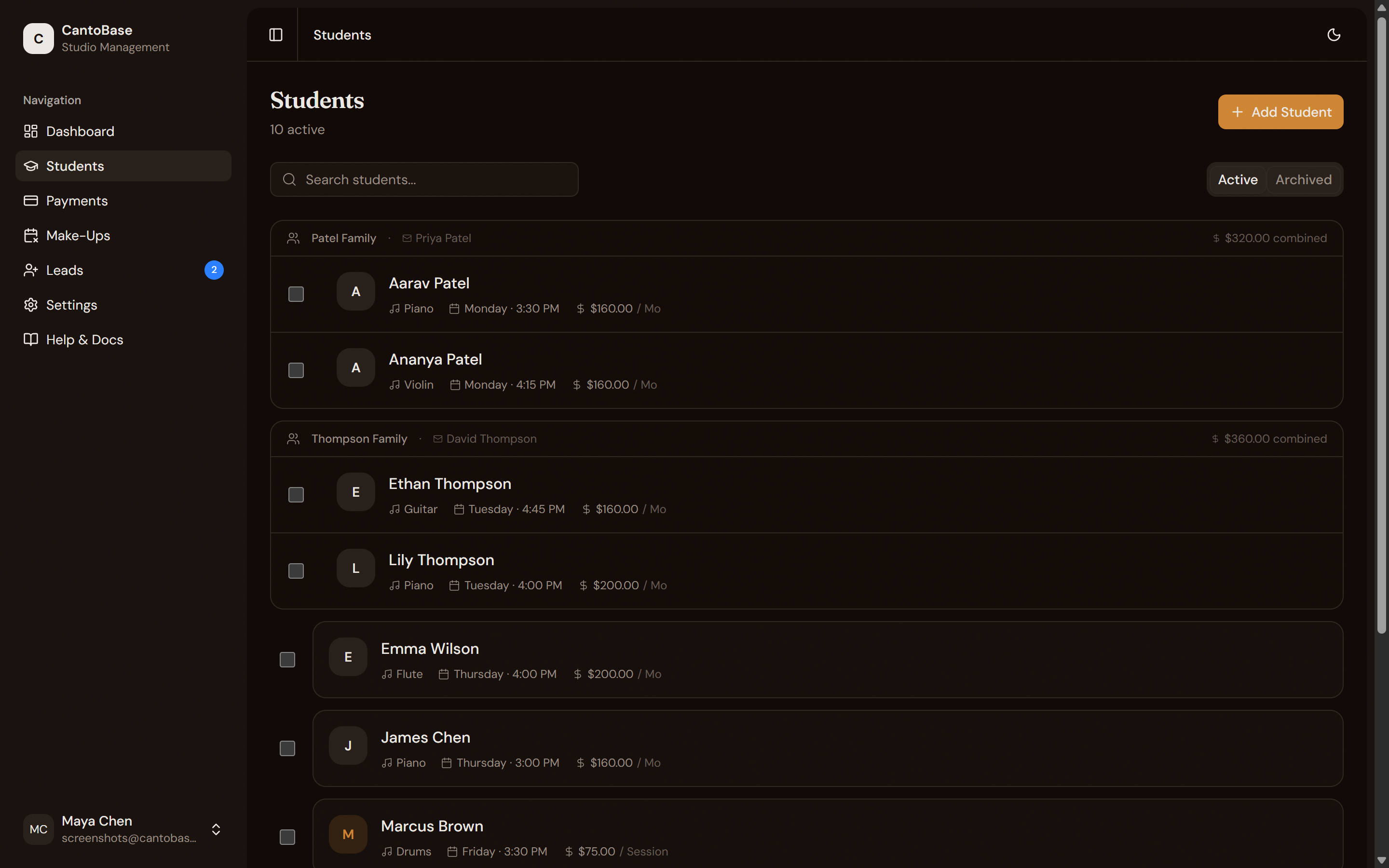
Your student roster is the heart of CantoBase. Add individual students, group siblings into families, and keep everything organized with search, filters, and archiving.
Adding students
Click + Add Student from the Students page to open the new student form. Fill in as much or as little as you need — you can always come back and edit later.
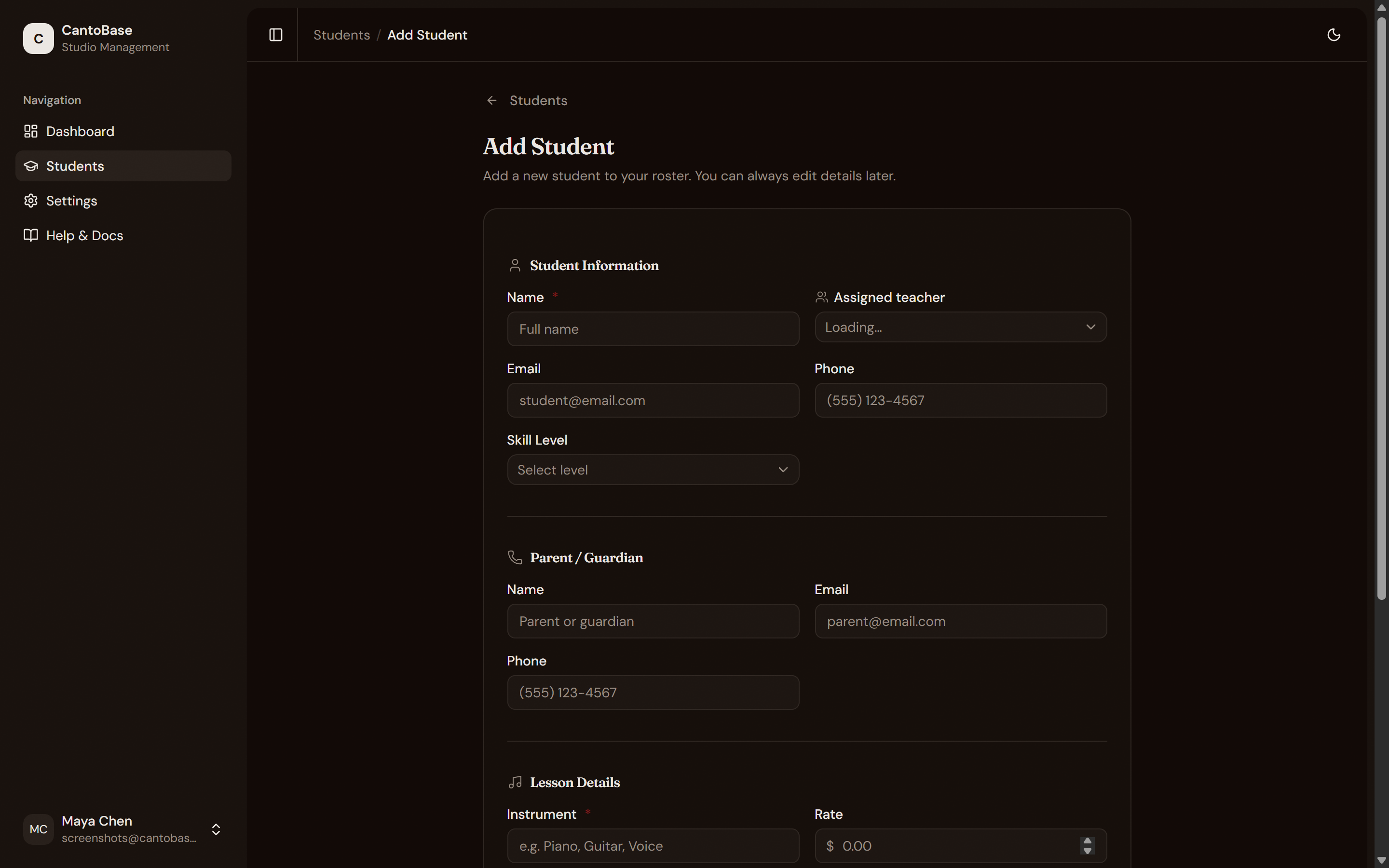
Enter student details
Add parent or guardian info
Set lesson schedule and rate
Save the student
Student detail page
Click any student's name to open their detail page. Everything about that student lives here, organized across five tabs:
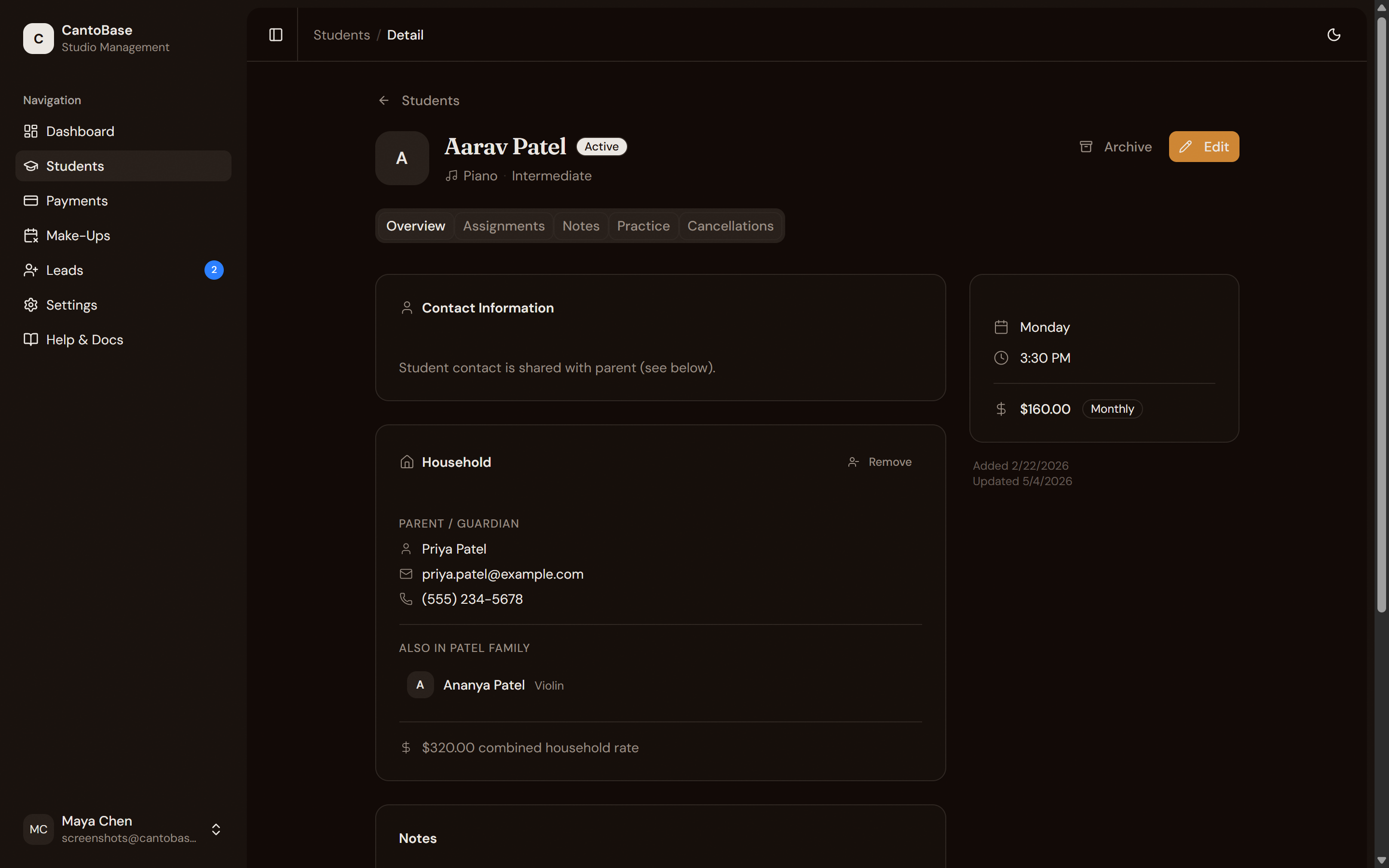
Overview
Contact info, lesson schedule, monthly rate, parent portal link, and a snapshot of recent activity.
Assignments
All practice assignments for this student — drafts and published. Create new assignments here.
Notes
Lesson notes you write after each session. Control which notes are visible to parents.
Practice
Practice logs submitted by parents through the portal. See what was practiced, for how long, and any comments.
Cancellations
History of cancelled lessons, make-up credits, and booking status.
Family grouping
When you have siblings or multiple students in the same household, group them into a family. This keeps parent contact info in sync and lets you manage billing at the family level.
Create or select a household
Link siblings
Family-level billing
Search and archive
As your roster grows, use the search bar at the top of the Students page to find anyone instantly by name, instrument, or parent name. Filters let you narrow the list further by instrument or status.
When a student stops lessons, archive them instead of deleting. Archived students are hidden from your active list but all their data — assignments, notes, practice logs, payments — is preserved. You can unarchive them anytime if they come back.