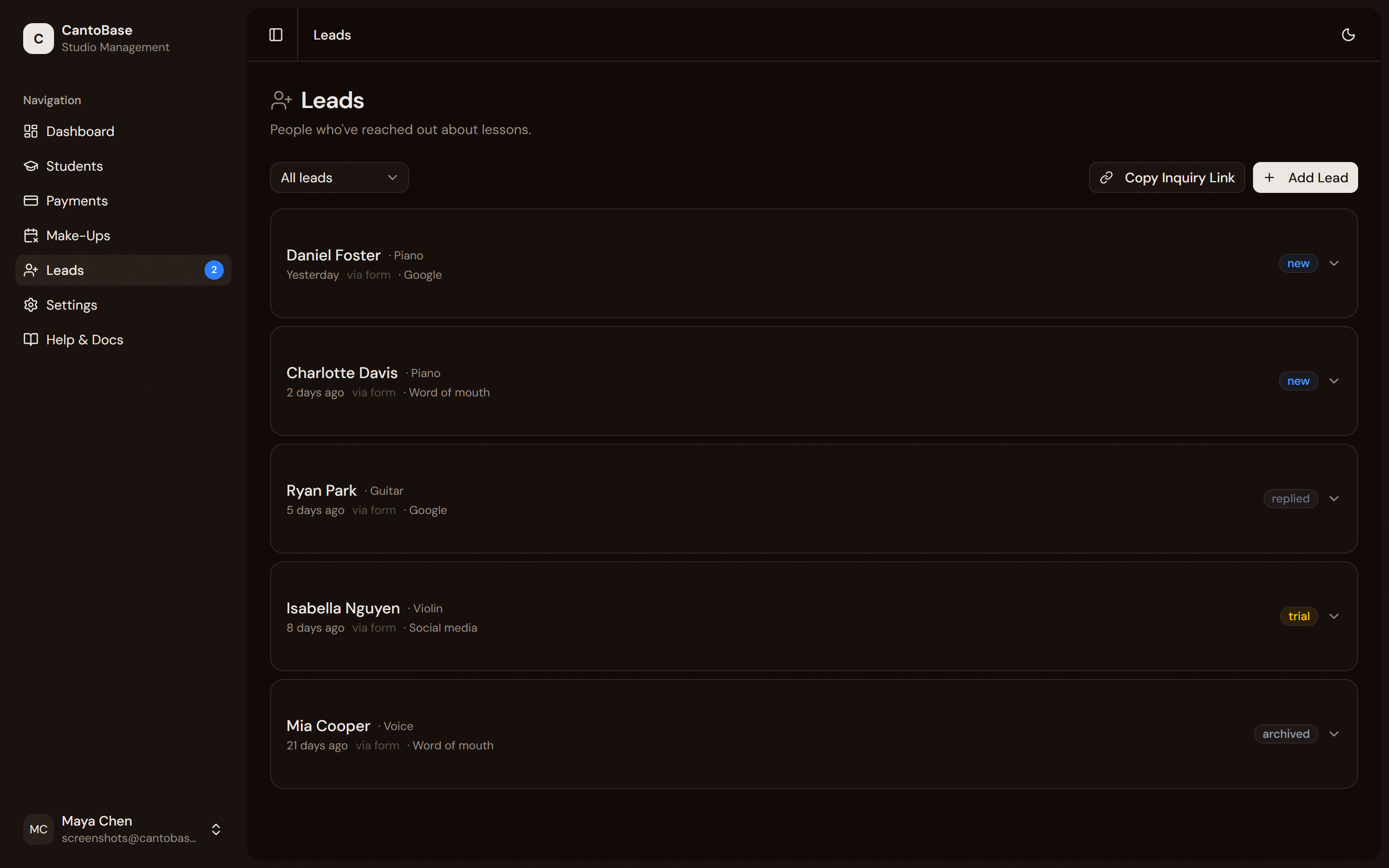
CantoBase gives you a public inquiry form to capture new student interest, a lead inbox to
manage follow-ups, and one-click enrollment to turn a lead into a student.
Inquiry form
Every CantoBase account comes with a public inquiry form — a shareable link that prospective
students (or their parents) can fill out to express interest in lessons.
Find your inquiry link
Go to the Leads page and copy the public form URL. You can also grab it from
the dashboard'sCopy Inquiry Link quick action.
Share it anywhere
Post the link on your website, social media, Google Business listing, or hand it out on a
business card. Anyone with the link can submit an inquiry.
Prospective students fill it out
The form collects: name, email, phone number, instrument of interest, experience level, age,
availability, and how they heard about you.
Note
The inquiry form includes a hidden honeypot field that catches automated spam bots. Real
humans won't see it, but bots will fill it in — and those submissions are silently discarded.
cantobase.com
Your lead inbox shows every inquiry with status tracking.
Lead inbox
Every inquiry submission lands in your lead inbox. Each lead shows the submitted info along
with a status badge so you can track where things stand:
New
New
Just submitted. You haven't responded yet.
Replied
Replied
You've reached out. Waiting to hear back or schedule a trial.
Trial
Trial
A trial lesson has been scheduled or completed.
Enrolled
Enrolled
This lead has been converted into an active student. The lead is considered closed.
Managing leads
Click any lead to see their full details and add internal notes — like "wants Monday 4pm" or
"called back, no answer." Update the status as you make progress.
Warning
CantoBase flags stale leads — inquiries that have been sitting in "New" status
for too long without a response. You'll see a warning badge so you can follow up before the
lead goes cold.
You can also add leads manually. Click + Add Lead if someone reaches out by
phone, in person, or through a channel outside the inquiry form. Fill in whatever info you have
and it enters the same inbox workflow.
Enrollment
When a lead is ready to become a student, you don't need to re-enter their information.
CantoBase offers one-click enrollment.
Open the lead
Click the lead in your inbox to view their details.
Click 'Enroll'
The Enroll button pre-fills a new student form with the lead's name, email,
phone, instrument, and experience level.
Complete the student profile
Add any missing details — lesson day, time, rate — and click Save.
Lead is closed
The lead automatically moves to Enrolled status and links to the new student
record. No manual cleanup needed.
Tip
One-click enrollment saves time and prevents data entry errors. All the info the parent
already provided carries over automatically.